
How to Download e-Aadhaar Online (2026): A Complete Step-by-Step Guide
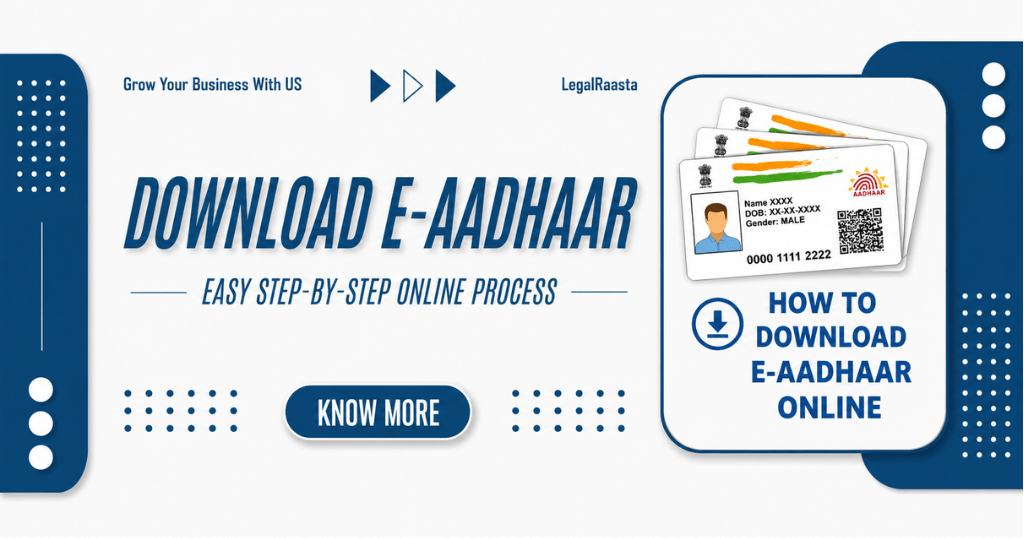
As of early 2026, the e-Aadhaar has firmly established itself as a primary, secure, and fully legal alternative to the physical Aadhaar card. It is recognized as a password-protected, electronic version of the Aadhaar letter. Furthermore, the e-Aadhaar is signed by the Unique Identification Authority of India (UIDAI). It allows individuals to prove their address and identity. On the other hand, the e-Aadhaar is legally valid under the Information Technology (IT) Act, 2000. It generally provides legal recognition to electronic records with digital signatures. In 2026, Aadhaar functions as the core document for India’s digital public infrastructure. But how can you navigate the e-Aadhaar online download steps? In this guide, the readers will learn the steps for UIDAI Aadhaar download, its importance, and the major key takeaways.
What is e-Aadhaar?
An e-Aadhaar is nothing but a secure, password-protected, and digitally signed electronic version of the Aadhaar card. The Aadhaar card electronic version is generally issued by the UIDAI. Its legal importance is the same as that carried by the physical. In short, an e-Aadhaar is valid to the physical card for all purposes, as per the Aadhaar Act. For security purposes, the password-protected (first 4 letters of name in CAPS + year of birth) and digitally signed by UIDAI. The format of an e-Aadhaar is generally in a PDF file that contains all personal information of individuals, such as a photo and a QR code. Now, a masked option is also available on the portal, which allows hiding the first 8 digits of your Aadhaar number for privacy purposes.
What Are the Benefits of e-Aadhaar in 2026?
Using e-Aadhaar in 2026 provides various advantages. The key benefits include
Enhance Security & Privacy
In 2026, UIDAI introduced a new app, which allows users to share masked or encrypted Aadhaar data. It significantly minimizes the risk of data misuse as well as enables hiding/unhiding biometrics.
Paperless Convenience
Since the e-Aadhaar card option has been introduced, users don’t require carrying the physical cards, allowing users to store multiple profiles on one device. It further allows verifying the identity via QR code or biometrics.
Direct Benefit Transfer (DBT)
Makes the government subsidies, pensions, and scholarships significantly secure, faste and leak-proof. The credits are sent directly into bank accounts.
Instant e-KYC
Facilitates the smooth route for immediate, paperless verification for banking, opening new accounts, and obtaining SIM cards.
Offline Verification
Functions in low-internet areas, enabling digital verification without requiring a constant connection.
Digital Life Certificate
Pensioners are eligible to make digital life certificates (Jeevan Pramaan) conveniently.
Pan-India Portability
An e-Aadhaar will remain valid regardless of location changes within the country.
Improved Fraud Prevention
Significantly minimizes the theft and the creation of fake ghost accounts.
Details Required to Download e-Aadhaar
During the process of e-Aadhaar PDF download, the major information required is
- 12-digit unique Aadhaar number
- 14-digit enrollment number and 14-digit date-time stamp.
- Virtual ID (16-digit temporary number)
- As per the Aadhaar records, the full name and Pin code
- Register your mobile number to receive OTP
How to Download e-Aadhaar Online in 2026
To download Aadhaar by Aadhaar number, navigate these steps:
|
Step 1: Access the Portal |
Must visit the official UIDAI website (uidai.gov.in) or the MyAdhaar portal |
|
Step 2: Locate Download Option |
Click on “My Aadhaar” and choose “Download Aadhaar” under the “Get Aadhaar” section. |
|
Step 3: Mention Credentials |
Choose to enter your 12-digit Aadhaar number, 16-digit Virtual ID (VID), or 14-digit Enrolment ID (EID). |
|
Step 4: Verify with OTP |
Must enter the captcha code and click the “Send OTP” option. Input the OTP received on your registered mobile number. |
|
Step 5: Download File |
Select to download a regular or “masked Aadhaar.” It hides the first 8 digits of your contact number. Click “verify & download” to get your PDF file. |
Download Aadhaar Without a Registered Mobile Number
Is it possible to download the Aadhaar without being registered? Well, the answer is yes. The users can download a copy of their Aadhaar card without a registered mobile number. However, there is a restriction on downloading the electronic (PDF) version directly from the website. As of 2026 rules, users are required to use an alternative, secure method, such as face authentication or visiting an Aadhaar Seva Kendra (ASK) for biometric verification. Here are the two methods to download the Aadhaar card without a registered mobile number:
Method 1: Online Alternatives (No Registered Mobile Needed)
Having a smartphone is crucial for this process. Follow these steps:
- Step 1: Download the Aadhaar Face RD App. This app allows users to download their Aadhaar PDF just by scanning their face.
- Step 2: Visit the official UIDAI website (myaadhaar.uidai.gov.in)
- Step 3: Click on “Order Aadhaar PVC card,” and enter the Aadhaar number or virtual ID.
- Step 4: Click on the checkbox “my mobile number is not registered.”
- Step 5: Enter your active mobile number and enter the received OTP on this new number.
- Step 6: Complete the payment process, and a physical PVC card will be sent to your address.
Method 2: Physical Visit: Aadhaar Seva Kendra
In case any users don’t have a smartphone, they can use this process. The steps include:
- Step 1: Must visit any authorized Aadhaar Seva Kendra (ASK) or Enrollment Center (banks, post offices, government offices).
- Step 2: For the biometric authentication (fingerprint or iris scan), the physical presentation is required.
- Step 3: The operator may ask for a service charge (could be Rs 30).
- Step 4: You will get an instant printed copy of your Aadhaar card without a registered phone number.
How to Open e-Aadhaar PDF (Password Format)
An e-Aadhaar password is used to download it in PDF format. Users can download it as
- Primary Step: Use any PDF reader like Adobe Reader to download the e-Aadhaar PDF file on your device.
- Secondary Step: When asked for a password, must enter the four letters of your name in uppercase + your birth year (YYYY)
- Third Step: Click on the option “Open” or “Submit” to access the document.
Common Errors & Solutions in e-Aadhaar Download
The process of downloading the e-Aadhaar card online is straightforward, but users may still face challenges. Here are the common errors and their solutions; be aware of them:
1. OTP Issues (Not Registered or Invalid)
Solution: Incorrectly entered numbers, network congestion, or having ‘Do Not Disturb’ (DND) mode enabled are other possible reasons. Confirm your mobile number is registered with Aadhaar. Once you’ve done this, wait 60 seconds, then try for an OTP again. If your number is not in service, go to an Aadhaar Seva Kendra and have it updated.
2. Password Error (PDF Won’t Open)
Solution: The password you have entered is incorrect; thus, you are not able to download the PDF. To resolve this issue, you need to know the password rules. The password consists of 8 characters; it consists of the first four letters of your name (in uppercase) + your year of birth (YYYY).
For instance, if your name is ‘Bhawna Yadav’ and you were born in ‘2003,’ the password would be ‘BHAW2003.’
3. Data Mismatch Error
Solution: Sometimes the ‘Record Not Found’ message will appear when, in fact, your details have been provided correctly. This error is majorly associated with an incorrect name, date of birth, or Aadhaar/enrollment number entered. The solution is to cross-verify the spelling of your name and date of birth with your enrollment slip. In case you applied for an update recently, the data might not be synced yet.
4. Aadhaar “Suspended” or “Cancelled.”
Solution: If your Aadhaar is cancelled or suspended by the authority, you must visit an Aadhaar Seva Kendra to resolve this, as it cannot be fixed online.
5. Missing Digital Signature
Solution: Sometimes, the e-Aadhaar PDF shows a question mark (?) or “Signature Not Verified” in the signature field. For this, you must use the Adobe Acrobat Reader to open the file.
LegalRaasta Helps to Download an e-Aadhaar Card Online
The UIDAI e-Aadhaar download process has now become much easier with LegalRaasta experts. The professionals at LegalRaasta assist users in downloading their e-Aadhaar card online by guiding them through the secure, official UIDAI process.
- Acts as a facilitator
- Helps with the necessary steps
- Explains password format
- Guide on how to download the Aadhaar
Frequently Asked Questions
- How can I download my e-Aadhaar online?
Ans. To download the e-Aadhaar online, use the official UIDAI MyAadhaar portal, mAadhaar app, or DigiLocker using your Aadhaar number, Enrollment ID (EID), or Virtual ID (VID).
- What is the password for the e-Aadhaar PDF?
Ans. An e-Aadhaar PDF password is the combination of the first four letters of the name in capital letters and the year of birth in YYYY format. For example, if your name is Suresh Kumar and the year is 1990, the password will be SURE1990.
- Can I download Aadhaar without OTP?
Ans. You can certainly retrieve your Aadhaar document without the need for an OTP, but only if you use the offline method or go through an alternative biometric checkout.
- Can you use your e-Aadhaar in all locations?
Ans: You are allowed to use your e-Aadhaar at any location in India.
- How many times can I download e-Aadhaar?
Ans. You may download e-Aadhaar as frequently as necessary. There are no restrictions on how often you may obtain your e-Aadhaar from the UIDAI site.

Related Posts





Our Clients








Featured In